
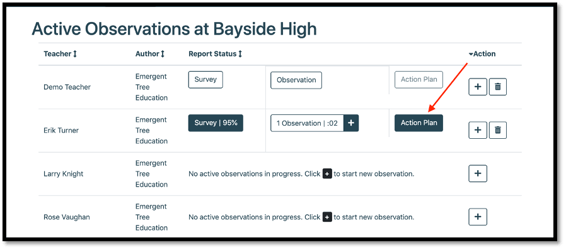
In order to have comprehensive data from the observation, select the “Action Plan” button once the observation is complete.
1. Select the "Action Plan" button next to the staff member's name on the Dashboard.
2. Complete the “Action Plan” note section at the bottom of the page.
TIP: complete the action plan WITH the teacher present. This will allow for a collaborative reflection between the “user” and the “teacher”
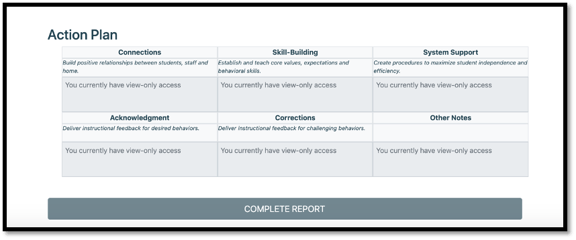
3. Each section of the action plan is connected to the Multi-Tiered Behavior of Supports.
NOTE: each component in the plan is connected to the Cultivating the Classroom course within Emergent Tree.
4. Use the notes function at the bottom of each section to provide “quality practices” and “areas of focus” as needed.
5. Once completed, select the “complete report” button at the end of the page.