1. Under the Tier 1 platform dropdown menu, select the Universal Screener.
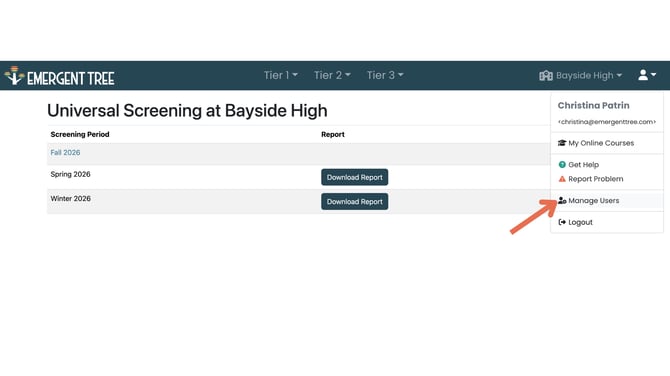
2. Select the users icon at the top right of the page, and click Manage Users.
3. Click the "add users" icon. 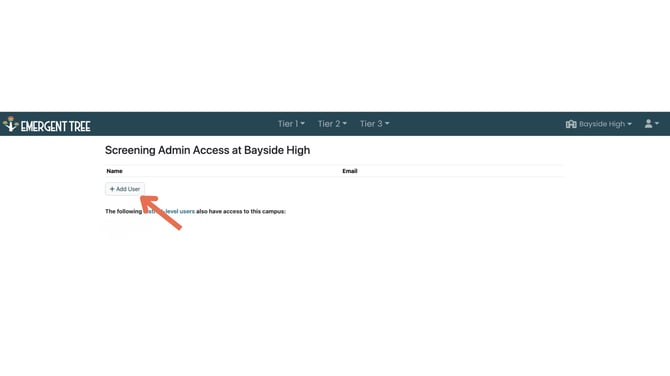
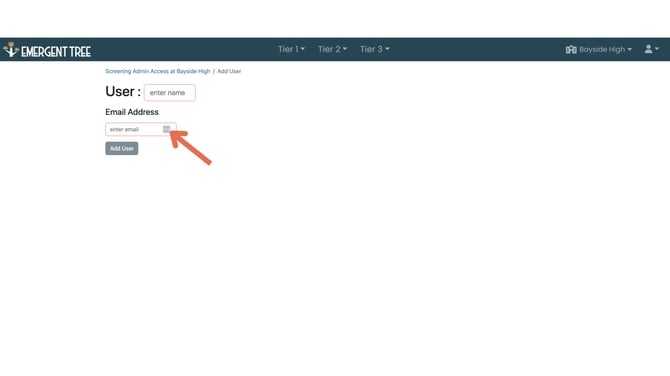
4. Enter the users school email address, and name.
![ete-logo-blue-2.png]](https://help.emergenttree.com/hs-fs/hubfs/ete-logo-blue-2.png?height=40&name=ete-logo-blue-2.png)
1. Under the Tier 1 platform dropdown menu, select the Universal Screener.
2. Select the users icon at the top right of the page, and click Manage Users.
3. Click the "add users" icon.
4. Enter the users school email address, and name.